
Start a chat
Message any wallet from Morsel. Where Chats live, how to start one, and how every payment between two wallets becomes a conversation.
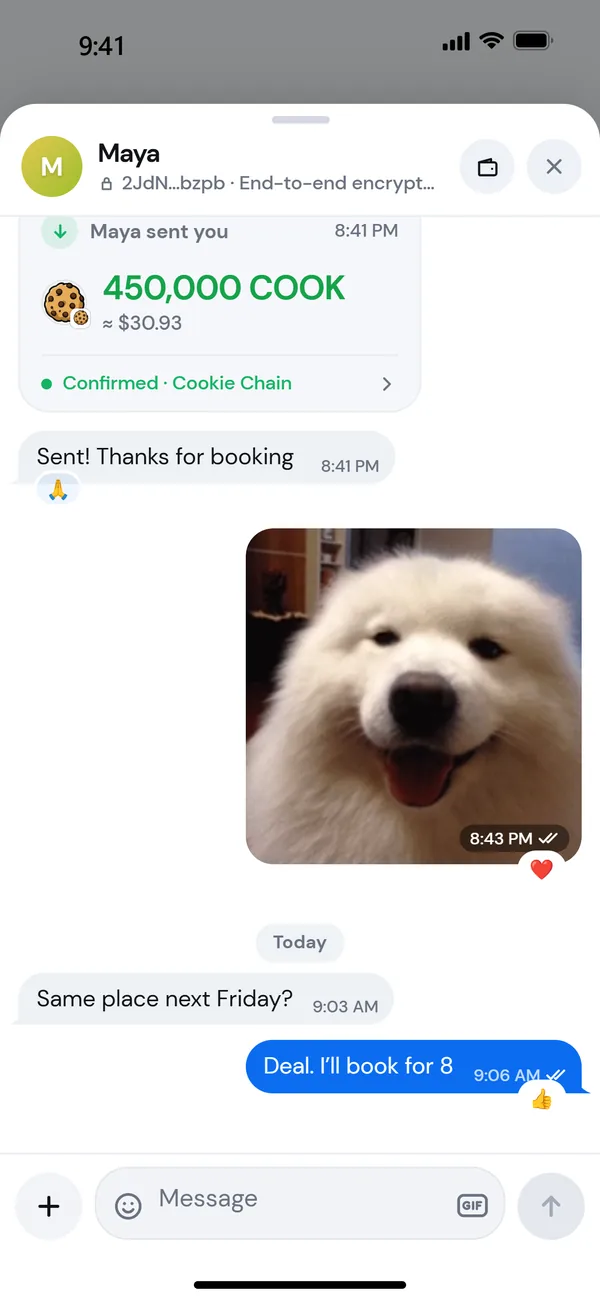
Chats are messages between wallets, end-to-end encrypted, with payments built in. There's no phone number or username: your wallet address is your identity. Anyone using Morsel can receive your messages.
Find your chats
- The chat bubble in the corner of your balance card on Home, with the number of unread messages. Tap it to open Chats.
- The strip under the actions on Home, when something is unread. Tap it to jump into that chat. Press and hold it for a preview.
- Activity: switch from History to Chats at the top.
- A payment: open any payment to or from another wallet, and the chat with that wallet is right there, scrolled to that payment.
Start a new chat
- Open Chats and tap the compose button.
- In To, paste a wallet address or type a contact's name.
- Tap the contact, or Message [address].
- Say hi. Tap a quick reply like Hi! or type your own.
To message a .cook name, search for it in the dock, open the wallet, and tap Message. See View another wallet.
Every payment is a conversation
When you pay someone or they pay you, the payment shows in your chat with them. On the Review step of a send you can Add a message that arrives with the payment. See Messages and notes.
Chats aren't attached to swaps, staking, NFTs, recurring sends or private sends.
Who you can chat with
- Any wallet address. If they use Morsel, they'll see your message. If they don't, it waits until they do.
- Not programs or token accounts. Morsel says That address can’t receive messages.
- Strangers start as requests. A wallet you've never paid or saved lands in Message requests. See Message requests.
When Chats aren't available
| You see | Why |
|---|---|
| Private Mode is on | A chat links two wallets, so Chats pause while Private mode is on. |
| View-only wallet | Messages are encrypted with the wallet's key. Switch to the wallet that holds it. |
| Wallet locked | Unlock to read your messages. |
| Chats are paused | Chats are temporarily unavailable. Try again later. |
Each wallet has its own chats
Chats belong to the wallet you're using. Switch wallets and you'll see that wallet's chats. Because your address is the same on Cookie Chain and Solana, your chats are the same on both networks. Payments in a chat show for the network you're on.
Chats work the same on iPhone, Android and the Chrome extension. Notifications with message previews are on the phone apps. See Message previews.