
The Chrome extension
Use Morsel as a popup or in Chrome's side panel, learn the keyboard shortcuts, and see what's different from the phone apps.
The Morsel extension is the full wallet in your browser. It also connects Morsel to the dApps you use on your computer: they find it in their wallet list like any other wallet.
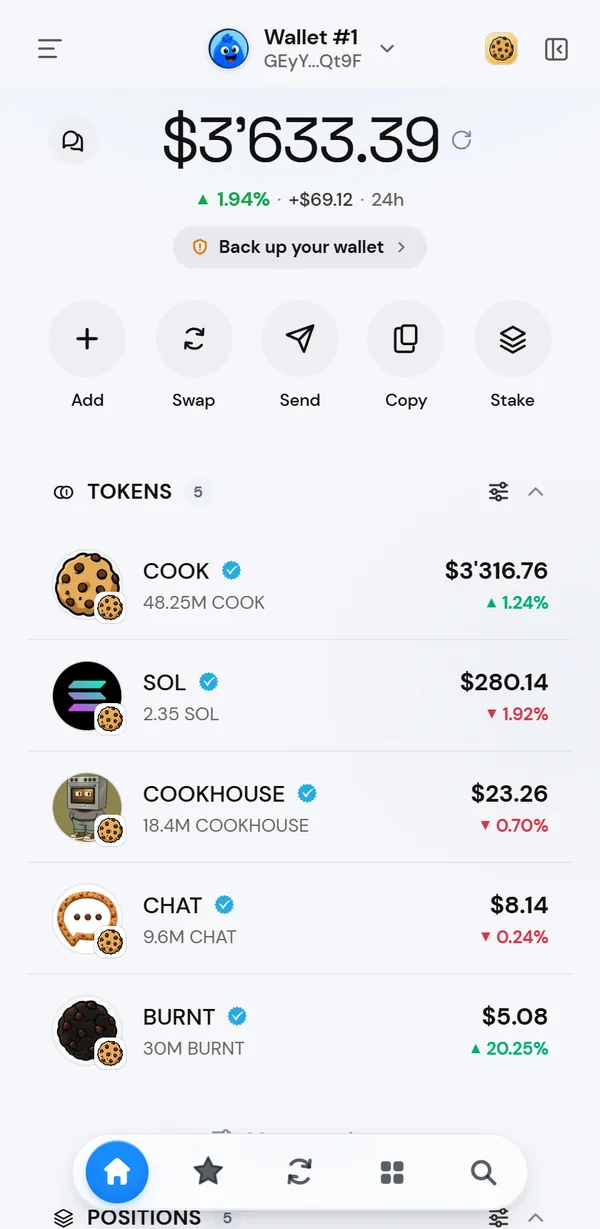
Popup or side panel
- Popup: click the Morsel icon in the toolbar. This is the default.
- Side panel: click the side panel button at the top right of the popup. Morsel moves into Chrome's side panel and stays open while you browse.
Morsel remembers your choice. Once you've picked the side panel, the toolbar icon opens the side panel directly. To go back, click the same button in the side panel. Morsel opens as a small window and makes the popup the default again.
Keyboard shortcuts
| Keys | What it does |
|---|---|
| / or Ctrl K (⌘ K on Mac) | Open search |
| 1 2 3 4 | Go to Home, Stash, Swap or Apps |
| Esc | Close search, a sheet or the browser |
| Alt Shift P | Turn Private mode on or off, while Morsel is open |
| Alt D | Open Morsel from anywhere in Chrome |
You can change Alt D at chrome://extensions/shortcuts.
Using dApps
dApps open in normal Chrome tabs. When a site asks to connect or sign, Morsel opens its approval window. Read it, then approve or cancel. See Connect to a dApp and Approve and sign safely.
On your phone you can also approve requests from a desktop site: if the site shows a Morsel QR code, scan it with the Morsel app.
What's different from the phone apps
| On the extension | Details |
|---|---|
| Password unlock only | No Face ID or fingerprint. |
| A short background session | After about 5 minutes away, you unlock again. See auto-lock. |
| No push notifications | Notifications, chat previews and Live Activities are phone features. |
| No QR scanner | Paste addresses instead. |
| Copied secrets | A copied secret is cleared after a minute only while Morsel stays open. Close the popup and clear your clipboard yourself. |
Everything else, from swaps and staking to chats and collectibles, works the same.
Setup and updates
The first time you install Morsel, setup opens in a tab. If you click the toolbar icon before you have a wallet, Morsel opens that tab again. Chrome keeps the extension up to date by itself.