
Search and voice search
Find tokens, apps, collections, wallets and screens from the dock, or just say where you want to go.
Search lives in the dock. Tap the search button and the dock turns into a search field. On a computer, press / or Ctrl K (⌘ K on Mac).
What you can find
Search covers the network you're on: Search Cookie Chain or Search Solana.
- Tokens, including tokens still on a launch curve. Open one for its chart and details.
- Apps and websites. They open in Morsel's browser.
- NFT collections and NFTs.
- Wallets: paste an address, type a
.cookname on Cookie Chain, or the name of a saved wallet. It opens the wallet read-only. See View another wallet. - Screens in Morsel, listed as In Morsel or Settings: type "bridge", "currency" or "back up" to jump straight there.
Press and hold the search button to search whatever is on your clipboard.
Voice search
Say where you want to go, and Morsel takes you there.
- Tap search in the dock.
- Tap the microphone at the end of the empty field.
- The first time, read Search with your voice and tap Continue, then allow the microphone (and on iPhone, speech recognition).
- When it says Listening…, speak. For example:
- "Open the Stash"
- "Go to MomoSwap"
- "Take me to swap"
- "Open currency settings"
- "Switch to Solana"
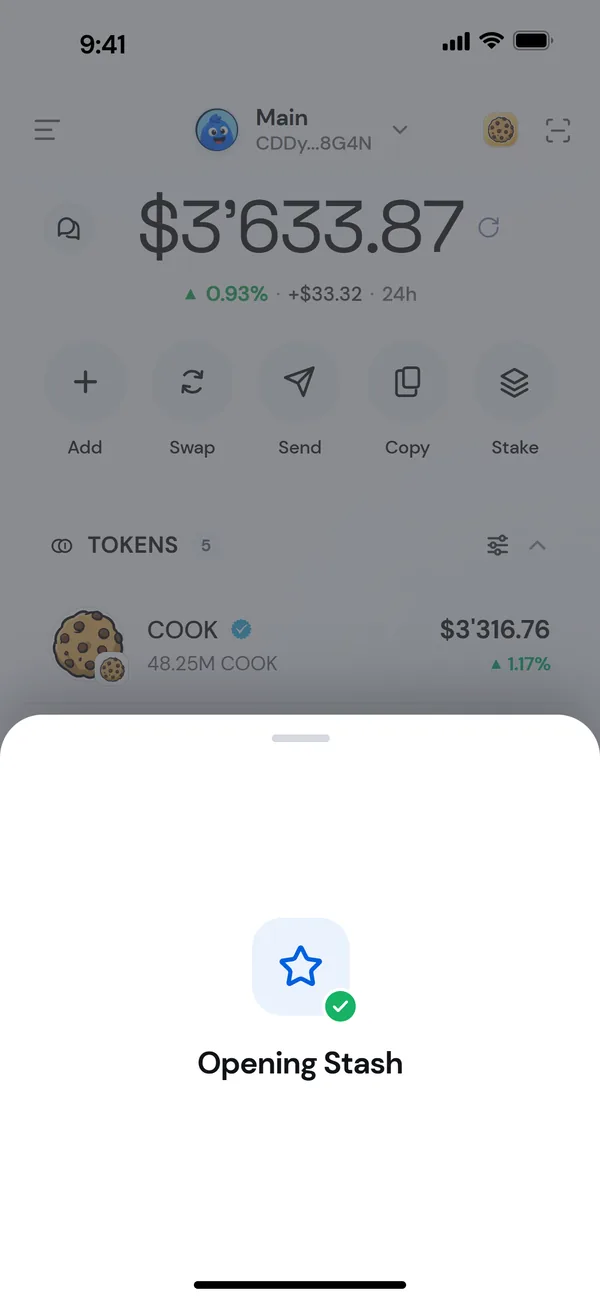
- Morsel shows Opening [place] and goes there.
If you don't start with a command like "open" or "go to", Morsel puts your words in the search field and shows the Best match first.
What it understands
- Screens: Home, Stash, Swap, Limit orders, Bridge, Apps, Browser, Activity, Chats, Send, Receive, Stake, Rewards, Recurring payments and more.
- Settings pages: Manage networks, Contacts, Language, Currency, Notifications, Security, Back up wallet, and others.
- Networks: "Cookie Chain" and "Solana".
- Apps and sites: MomoSwap, Jupiter, Baked Bazaar, CookieScan, CookieSwap and many more.
- Tokens: open a token's page by name.
Voice search works in all 12 of Morsel's languages, in the language Morsel is set to.
Voice never moves money
Voice only takes you to places. It never fills in amounts or recipients, and it never signs anything. "Send" opens an empty send sheet.
Privacy
Your phone's or browser's own speech recognition turns your voice into text: Apple's on iPhone, your phone's speech service on Android, or the browser's on the extension. It needs an internet connection. Morsel never records or keeps what you say. Working out where to go happens on your device, without AI and without Morsel's servers.
If it doesn't work
| Message | What to do |
|---|---|
| Didn’t catch that | Try again, a little closer to the mic. |
| No internet | Voice search needs a connection to understand you. |
| Microphone is off | Allow the microphone for Morsel. On the extension, tap Allow microphone and allow it in the tab that opens. |
| Voice search didn’t start | Another app may be using the mic. Try again. |
Every screen offers Type instead. The microphone doesn't appear in browsers without speech recognition, such as Firefox and Brave.