
Create a bot
Create a bot in the Morsel app, pick its username, keep its token safe, and set its profile, picture, commands, privacy mode and inline mode.
You create bots in the Morsel app, with the wallet that will own them. The app makes the bot's key on your device and gives you its token. Then your server runs the bot with that token.
Create it
- Open Settings → Chats → My bots. My bots needs Chats on, with this wallet unlocked.
- Tap Create bot.
- Pick a Username. Morsel checks it as you type and says @username is available when it's free.
- Enter a Name and, if you like, About: one line people see in search.
- Tap Create bot.
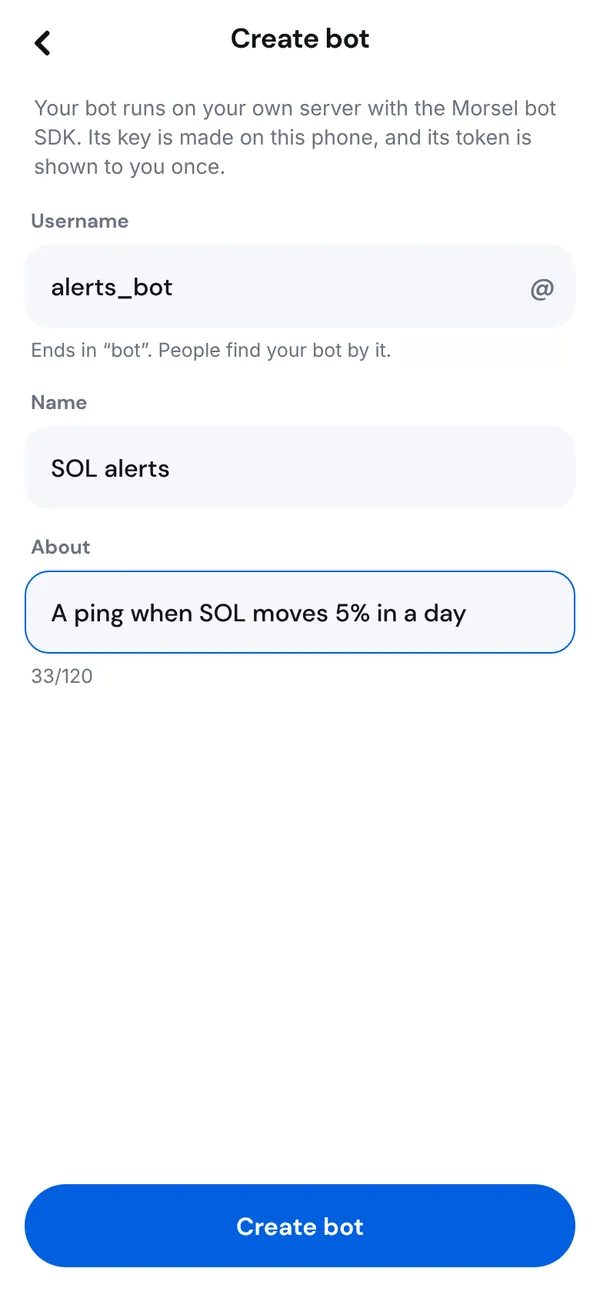
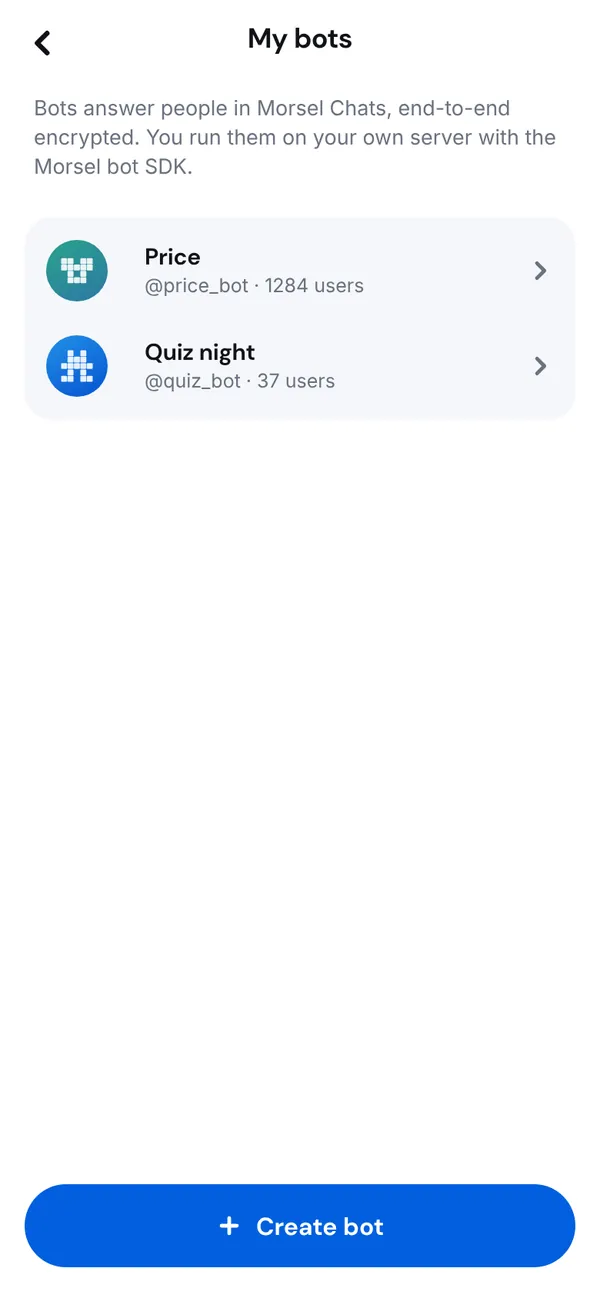
One wallet can own up to 20 bots, and create up to 5 a day. In the web chat linked to your phone, there's no wallet key, so new bots and new tokens are made on your phone.
Username rules
- 5 to 32 characters.
- Only
atoz,0to9and_. - Starts with a letter. No two
_in a row. - Ends in
bot, likepricebotorprice_bot. - Some words are reserved, such as
morsel,official,support,admin,walletandsecurity.
Usernames ignore case. A deleted bot's username is free again after 30 days.
Save the token
Right after you create the bot, the app shows Your bot's token. It starts with mbot1_.
- Tap Copy token. It clears from the clipboard in 30 seconds.
- Put it where your bot runs: an environment variable, or your platform's secret store.
- Tick I put the token somewhere safe. I know it won't be shown again. and tap I saved it.
The token holds the key's 32-byte seed in base58, with a 4-byte checksum that catches copy mistakes. The SDKs read it and refuse a token that doesn't check out.
Your bot's page
Open My bots and tap a bot. Its page shows how many people started it, and everything you can change. Tap Save changes after you edit the profile.
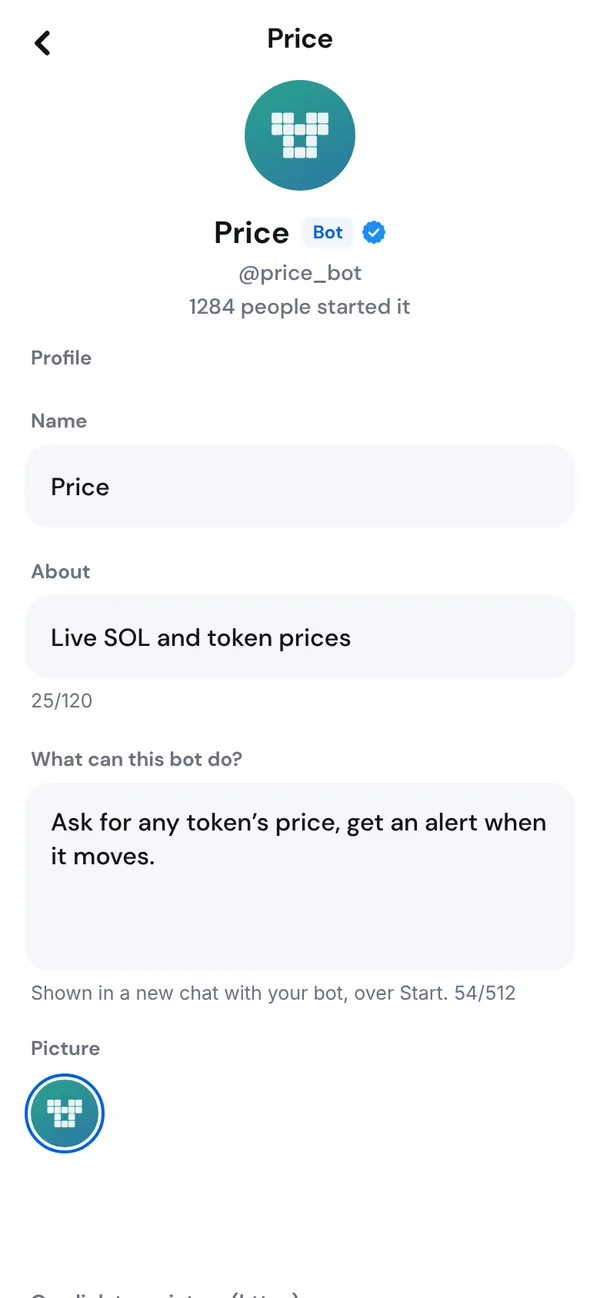
Profile
| Field | Shown | Limit |
|---|---|---|
| Name | Everywhere the bot is named | 1 to 40 characters |
| About | In search and the bot's profile | 120 characters |
| What can this bot do? | In a new chat with your bot, over Start | 512 characters, new lines allowed |
Picture
Tap Change picture and pick a PNG, JPEG or WebP, or pick one of the presets under Or pick one of these.
- Up to 1 MB, at least 32 pixels on a side.
- Morsel crops the center to a square and re-encodes it as a 256 and a 64 pixel WebP. No EXIF, location or other metadata survives.
- Up to 10 uploads an hour per bot.
- Remove picture goes back to the generated picture.
Your server can set it too, with bot.setAvatar('./avatar.png') in TypeScript or await bot.set_avatar("avatar.png") in Python.
Commands
Under Commands, tap Add command, then enter the command without / and What it does. People see the list behind the / button in your bot's chat.
- Up to 100 commands.
- A command is 1 to 32 characters:
atoz,0to9and_. - A description is 1 to 256 characters.
From code, setCommands can add a description for each language. See Messages, commands and formatting.
Privacy mode
On by default. In groups, your bot gets only commands, messages that mention it and replies to it. Turn it off and your bot gets every message, and members see that it can read everything. See Groups and privacy mode.
Inline mode
Turn on Answer @username in any chat to let people type your bot's username and a few words in any chat, and pick one of its answers to send. Set a Placeholder shown while they type. See Inline mode.
Webhook
Shows your webhook's state when your bot uses one: when it last delivered, what's waiting and the last error. Without one it says No webhook. Your bot sets a webhook with the SDK, not here. See Run a bot in production.
Regenerate the token
If a token leaks, or you just want a new one, tap Regenerate token and confirm Regenerate the token?
- The current token stops working at once. Your bot stops until you put the new one on your server.
- The app shows Your new token, once, as at creation.
- The bot keeps its username, profile, webhook and chats. People keep one chat with it.
A new token is a new key, so the bot gets a new address. What happens next, and what to do with funds at the old address, is in Bot security.
Delete a bot
Tap Delete bot and confirm. The bot stops for everyone, every key it ever had is refused, and its username is free again after 30 days. Funds sent to its address stay with whoever holds its token, so withdraw first.