
Hold for shortcuts
Hold a dock tab or a quick action on Home to jump straight to what's one level in, like Limit orders, Bridge, Scan or your points history.
Most buttons in Morsel do something extra when you hold them (or right-click on a computer). A small menu opens with the places that button leads to, so what you want is one press away. Shortcuts only open screens. Nothing is signed or sent from a menu.
The dock
| Hold | You get |
|---|---|
| Home | Your wallets, to switch between them. |
| NFTs | Manage collectibles and the marketplaces for your network. |
| DeFi | Perps, Predictions (where the network has them) and Staking. |
| Swap | Swap, Limit order and Bridge, where the network has them. |
| Search | Chats, Scan QR code, Paste address, the wallet you searched last and All apps. |
The quick actions on Home
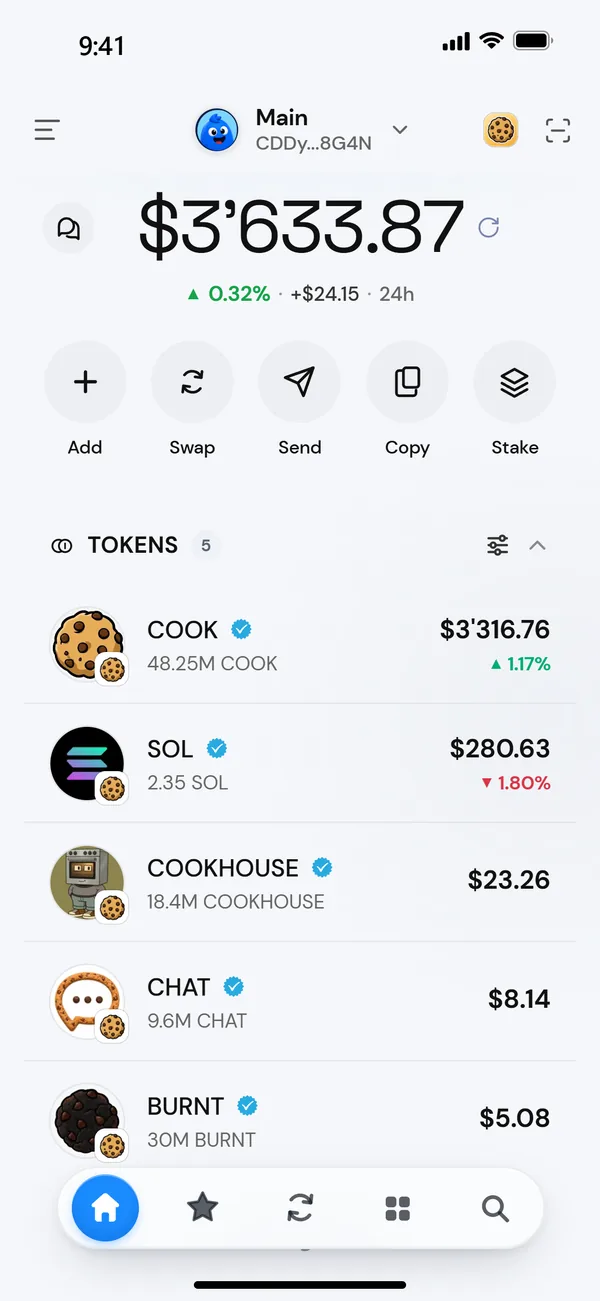
The round buttons under your balance:
| Hold | You get |
|---|---|
| Add | Buy with card (when available) and Receive (QR code). |
| Swap | Swap, Limit order and Bridge. |
| Send | Send, Scan QR code (iPhone and Android) and Recurring payments. |
| Copy | Copy address, Receive (QR code), Share address and View on explorer. |
| Stake | Staking, Perps and Predictions. |
| Momo | Redeem, Points history and Earn by swapping. See Momo points. |
Rows
- A token row: View details, Buy more, Sell, Copy token address and Hide token.
- An Activity row: Share as card, Send again, Swap again and Share their wallet.
- An NFT: Open on the market it trades on, List on a marketplace, Set as profile picture.
A tip appears the first time: Hold a tab for shortcuts. On a computer it says Right-click a tab for shortcuts.