
Share cards
Turn a token, an NFT, a wallet address, a transaction or a perp result into a clean image you can save or post, with a code that opens it in Morsel.
A share card is a picture of something in your wallet, made for sharing. It's light, clean and carries a small Morsel mark. It shows only what you chose to share: never a recovery phrase, a private key or your total balance.
What you can share
| From | The card shows |
|---|---|
| A token's ⋯ menu → Share | The token, its price, and its move over 24h, the Past year or All time. It says Trade it on Morsel. |
| An NFT's ⋯ menu → Share | The art, its collection, its Floor, Owners and Edition. It says Collected on Morsel. |
| Your wallet | Your wallet's name and address, with a code. Scan to send to this wallet. |
| A transaction (hold a row in Activity, or open it and tap Share as card) | A receipt: what moved, With whom, Network, Status and Reference. Scan to verify on the explorer. |
| Another wallet (hold a transfer row → Share their wallet) | Their address as a card. |
| A perp position (Share PnL) | Your result on the market. |
| A prediction | Your outcome on the event. |
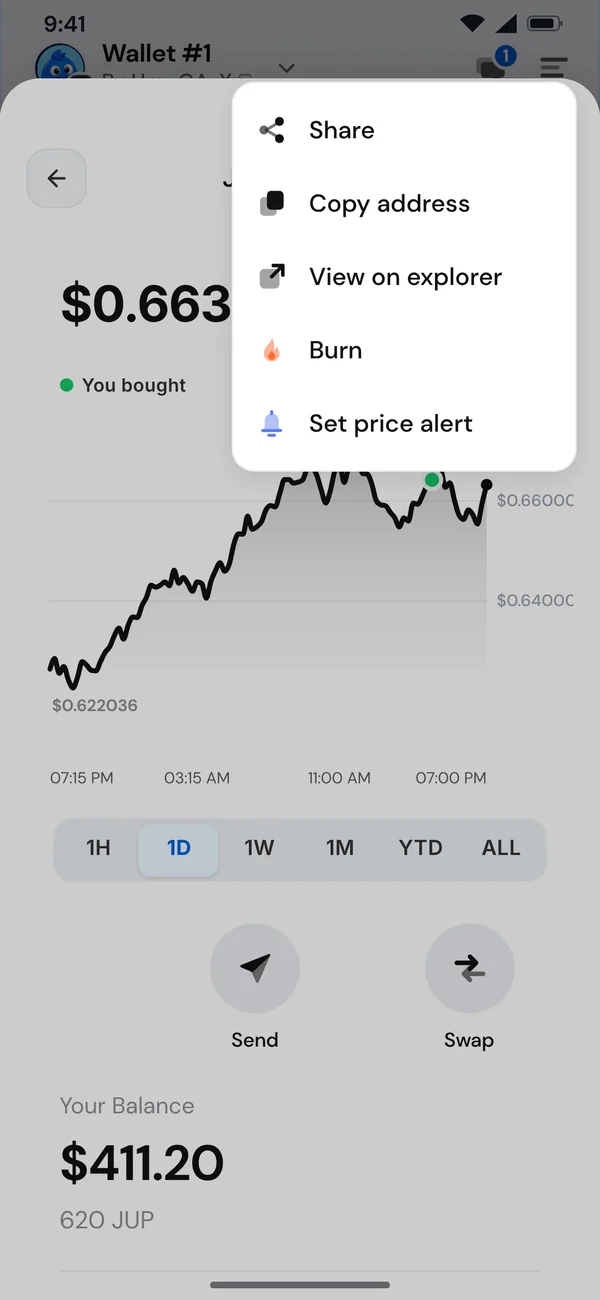
Make and save a card
- Choose Share. Morsel makes your card: Making your card.
- Check the preview under Your share card.
- Tap Save image, or use your phone's share sheet. On a computer, the image is copied or saved.
If it fails, tap Try again.